

Why an SEO MCP server is suddenly worth choosing carefully
MCP went from a niche protocol to a de-facto standard in under a year - Anthropic reported more than 10,000 active MCP servers and over 97 million monthly SDK downloads by December 2025. SEO tooling tracked that curve, and most established platforms now ship an MCP for SEO. That changes the buying question. Adoption is no longer the differentiator; coverage is. Gartner projects that 33% of enterprise software will include agentic AI by 2028, up from under 1% in 2024 (Gartner, June 2025). The assistant reading your SEO data is about to become a standing fixture, not a demo. So the question to ask is not "does my tool have an MCP" but "how much of my real SEO workflow can an AI assistant reach through it" - how many data domains, how many callable methods, on how few connections, gated how. The rest of this ranking answers exactly that.
How the SEO MCP servers compare at a glance
Rank | MCP server | Official or community | Tools/methods exposed | Data domains | Transport & auth | Access model |
1 | SE Ranking | Official | 180+ tools | Rank, keyword, backlink, audit, competitive, AI-visibility | Remote, one API key | Included in every plan |
2 | DataForSEO | Official | ~49 tools | SERP, keywords, backlinks, on-page, Labs | Remote/local, API key | Pay-as-you-go |
3 | Ahrefs | Official | ~100 tools | Backlinks, keywords, rank, audit | Remote, API key | Paid API units |
4 | Semrush | Official, read-only | Positions, keywords, reporting | Positions, keywords, backlinks, competitive | Remote, API key | From $199+/mo add-on |
5 | Serpstat | Official | 84+ methods / 9 servers | Keywords, rank, backlinks, audit | HTTP/STDIO, API key | Plan-gated |
6 | Screaming Frog | Official, native v24 | ~29 tools | On-site crawl | Local/stdio | Desktop licence |
7 | Firecrawl | Official | Scrape/crawl/extract | Live web pages | Local/remote, API key | Usage-based |
8 | SerpApi | Official | Live SERP search | SERPs across engines | Remote/local, API key | Metered by search |
How to read this ranking
When picking the best MCP server for SEO, the ranking weights one thing above the rest: how much of an SEO workflow one connection can reach. An assistant that pulls rank, keyword, backlink, audit, competitive and AI-visibility data over a single authenticated link removes the stitching work of wiring several vendors together. Coverage is not the same as quality - a server can expose six data domains and still hold a smaller keyword or backlink database than a single-domain specialist. Read the "data domains" and "tools/methods" columns as breadth of reach, and read per-server detail below for depth.
Selection criteria:
- Official vs community - whether the server is built and maintained by the vendor or by a third party.
- Breadth of SEO data domains - how many of rank, keyword, backlink, audit, competitive and AI-visibility are reachable.
- Number of callable tools/methods - the count of distinct actions the assistant can invoke.
- Transport & auth - remote vs local, and API-key vs OAuth.
- How access is gated - included in-plan, sold as an add-on, or metered per call.
- SEO-ready data vs raw rows - whether responses are finished insight or raw data needing assembly.
1. SE Ranking
SE Ranking ships an official MCP server that puts 180+ SEO and GEO tools behind a single connection to Claude, ChatGPT, or Cursor.
Best for: in-house teams wiring an AI assistant to a full SEO stack without stitching together multiple vendors.
Standout: One API key covers the Data API, Project API, and MCP together, so a single connection reaches rank tracking, keyword research, backlinks, site audits, competitive research, and AI-visibility data. That last domain matters as Google's AI Overviews reach 2B+ monthly users and AI Mode 100M (Alphabet Q2 2025 earnings, July 2025).
Pros
- Exposes 180+ tools across six SEO data domains through one remote connection, with nothing to install locally.
- Covers rank tracking, keyword research, backlinks, site audit, competitive research, and AI-search visibility on the same key.
- Connects to Claude, ChatGPT, Cursor, and other MCP-compatible clients.
- Includes MCP access in every plan, running on the API credits already in your subscription rather than a separate purchase.
Cons
- Rewards teams comfortable operating a full SEO platform; this is not a five-minute beginner setup.
- Runs some individual databases smaller than the largest single-purpose specialists.
Pricing: Core $129/mo and Growth $279/mo, both with MCP included; 14-day free trial.
The data says: For a team that wants one AI assistant to reach an entire SEO workflow, SE Ranking leads on coverage: 180+ tools and six data domains on a single included connection. It asks for platform fluency rather than a beginner's afternoon, but no rival matches that breadth-per-connection today.
2. DataForSEO
DataForSEO's official MCP server hands an AI client roughly 49 tools of raw SERP, keyword, backlink, on-page, and Labs data.
Best for: data teams piping raw SERP and backlink rows into their own models or warehouse.
Standout: The 49 tools span 10 API modules and return raw rows rather than SEO-ready reports, so the assembly work stays on your side. That fits a broader shift: Postman's 2025 State of the API report found roughly 24% of developers now design APIs for AI agents, with AI-driven API traffic up about 73% year over year.
Pros
- Exposes ~49 tools across 10 API modules, spanning SERP, keywords, on-page, backlinks, and Labs.
- Returns granular raw data suited to custom modeling and warehousing.
- Charges pay-as-you-go, with no subscription floor to clear first.
Cons
- Returns raw rows that need engineering to turn into finished insight.
- Scales cost with volume, which grows unpredictable during heavy exploratory prompting.
Pricing: Pay-as-you-go on API credits, priced per call the MCP makes, with no fixed monthly plan required.
The data says: For a data team that already owns its modeling layer, DataForSEO delivers the deepest raw feed here: 49 tools across 10 modules, metered per call. The tradeoff is coverage that arrives as rows, not reports, so budget engineering time and expect costs to track usage rather than a flat plan.
3. Ahrefs
The Ahrefs MCP server is an official server that puts one of the deepest backlink indexes within reach of a natural-language prompt.
Best for: link-led research teams who live in backlink data.
Standout: The official server exposes 100 bounded tools - 85 paid plus 15 free utility tools - spanning backlink analysis, keyword research, rank tracking, and site audit. Its long-standing strength in link data and keywords becomes conversational here: you ask for referring domains or anchor breakdowns and get structured answers back without opening the dashboard.
Pros:
- Query a deep backlink index (referring domains and anchors) directly in your AI client
- Reach 100 tools total, with 15 free utility tools before any paid API usage
- Run keyword, rank-tracking, and site-audit calls through one vendor-verified server
Cons:
- Scopes results to Ahrefs' own datasets, so cross-source coverage stays narrow
- Meters usage in API units that accumulate quickly across exploratory prompting
- Gates API access behind higher subscription tiers
Pricing: Requires an Ahrefs subscription with API access; usage is metered in API units.
The data says: For teams whose work centers on link data, the 100-tool server turns a category-leading backlink index into conversational queries - a real gain. But every prompt draws down API units, and coverage stays inside Ahrefs' own datasets. The value holds when link research is the job, less so when you need one connection across many data types.
4. Semrush
Semrush runs an official but read-only MCP server that surfaces position, keyword, and reporting data inside an AI assistant.
Best for: teams already standardized on Semrush who want read access inside an AI assistant.
Standout: The verified remote server gives read-only access to Semrush's public APIs (domain analytics, keyword research, backlink analysis, and competitor insights) through OAuth 2.0 or API-key auth. If your reporting already lives in Semrush, you can pull positions and keyword data into a prompt without exporting a file, then keep building the analysis around it.
Pros:
- Read positions, keywords, and reporting data straight from an AI client
- Authenticate through OAuth 2.0 or an API key on a verified remote endpoint
- Connect from Claude, ChatGPT, Cursor, or VS Code
Cons:
- Restricts the connection to read-only - no write-back or data refresh through the MCP
- Sits behind a paid tier starting near $199/mo
- Limits scope to Semrush's own APIs
Pricing: Gated to paid plans starting around $199/mo, with API access on higher tiers.
The data says: The read-only design is the defining constraint: you can query positions and keywords, but you cannot trigger writes or refreshes through the server. Paired with a floor near $199/mo, it fits teams already invested in Semrush who want read access in an assistant - not teams chasing the widest coverage or two-way control per dollar.
5. Serpstat
Serpstat's official MCP trades depth for reach, routing a broad SEO toolkit through one connection.
Best for: mid-market teams wanting broad method coverage at platform pricing rather than metered per-call billing.
Standout: The server splits into nine separate MCP servers exposing 84+ analysis methods in total, spanning keyword research, rank tracking, backlinks, and site audit. That breadth lets a single agent move across four SEO disciplines without stitching multiple vendors together, though the nine-server layout adds configuration steps compared with connecting one endpoint.
Pros
- Cover four SEO disciplines - keywords, rank tracking, backlinks, audit - through one vendor's MCP.
- Run either an HTTP (OAuth) or a local STDIO variant via npx, with no install required.
- Bundle MCP access into an existing subscription rather than metering each call.
Cons
- Breadth varies by plan tier - lower tiers unlock fewer of the 84+ methods.
- Individual datasets are less deep than the single-purpose leaders in each category.
Pricing: Requires a Serpstat API subscription; access scales with plan tier, with a 7-day free trial referenced.
The data says: With 84+ methods across nine servers, Serpstat covers more SEO ground than any single-purpose MCP here, but the numbers cut both ways: breadth is gated by plan tier and no one dataset matches a category specialist. For teams valuing coverage over depth at flat pricing, the trade holds.
6. Screaming Frog
Screaming Frog's native MCP puts an AI assistant on top of your own crawl, entirely on your machine.
Best for: technical SEOs who want an AI assistant reading their own crawl data locally, without shipping site data to a remote API.
Standout: Since v24, Screaming Frog ships a native MCP with roughly 29 tools that expose the desktop crawler's on-site data - crawl control, reports, bulk exports, and URL-level inspection. It runs locally over stdio on the same machine as the app, so nothing about your site leaves your environment for a third-party endpoint.
Pros
- Expose ~29 crawl tools an AI agent can query directly against your own site data.
- Keep all crawl data local - the server runs over stdio on your machine, not a remote API.
- Reuse an existing Screaming Frog desktop licence rather than buying a separate data subscription.
Cons
- Local-only - no hosted or remote option, so it's tied to one desktop machine.
- Scope limited to crawl data; no keyword, backlink, or SERP datasets.
- Requires SEO Spider v24.0+ and a paid licence.
Pricing: Requires a paid Screaming Frog SEO Spider licence at v24.0 or later; the native MCP is included in the app.
The data says: Screaming Frog's ~29 native tools do one job well: exposing your own crawl locally, with no site data sent to a remote endpoint. That's a genuine privacy edge, but the scope stops at crawl data and the local-only design ties you to a single licensed desktop - a specialist, not a platform.
7. Firecrawl
Firecrawl is the complementary live-web layer most SEO datasets lack - it reads the page as it is now, not as a snapshot captured on someone else's schedule.
Best for: Teams filling the gap between static SEO datasets and the live page - content extraction and change monitoring.
Standout: The official Firecrawl MCP exposes five operations (scrape, search, crawl, extract, and map) that pull clean, agent-ready content straight from live pages. Where a keyword or backlink database returns a snapshot captured on its own schedule, Firecrawl reads the URL as it renders today, closing the gap between stored SEO metrics and the current page.
Pros:
- Reads live pages in real time, not a dataset snapshot
- Runs five operations - scrape, search, crawl, extract, and map - from one MCP
- Offers a free keyless tier for testing before you commit credits
Cons:
- Delivers web data, not SEO metrics - no rankings, keywords, or backlinks
- Scales cost with crawl volume, so heavy monitoring adds up
Pricing: Usage-based - free keyless tier (rate-limited), then paid Firecrawl API credits that scale with crawl volume.
The data says: For teams whose SEO stack is all stored metrics, Firecrawl adds the one layer those datasets skip - the live page itself. Treat it as a complement, not a rankings or backlink source: it earns its place on content extraction and monitoring, and its usage-based cost tracks directly with how much you crawl.
8. SerpApi
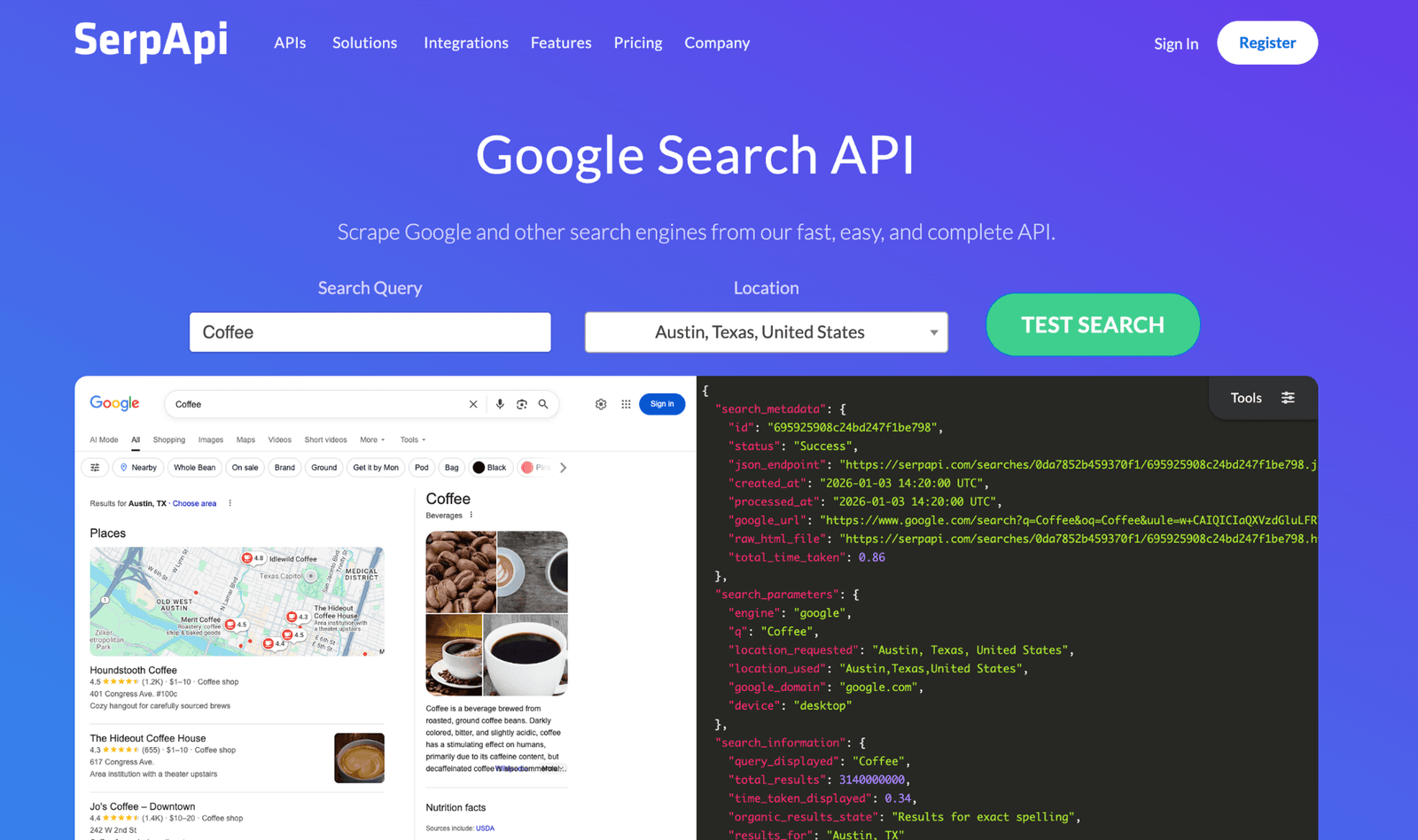
SerpApi is an on-demand, real-time SERP feed for teams that want live results when they ask, not a stored rank database to maintain.
Best for: Teams needing on-demand, real-time SERP pulls rather than a continuously stored rank database.
Standout: SerpApi's official MCP returns live search results from engines including Google, Bing, Yahoo, DuckDuckGo, Yandex, and Baidu, delivered as structured JSON an agent can parse immediately. Every call is metered per search, so you pull SERPs on demand rather than maintaining a stored rank database that ages between scheduled refreshes.
Pros:
- Returns live SERPs across many search engines from one MCP
- Delivers structured JSON agents can parse without extra cleanup
- Charges only for the searches you run - no plan floor to clear
Cons:
- Costs climb at monitoring scale, since every query is metered
- Covers SERPs only - no backlink, keyword-difficulty, or audit data
Pricing: Metered per search on SerpApi API credits; a limited free tier covers low-volume testing.
The data says: SerpApi fits a specific shape: you need a real SERP right now, not a rank history you maintain daily. On-demand pulls stay cheap; per-query metering turns costly once you track many keywords on a schedule. And it returns SERPs only - no backlink or audit data - so pair it with a metrics source.
Honorable mention: Google Search Console (community MCP)
There is no official Google MCP for Search Console - only community-built connectors, with 20+ competing implementations on GitHub as of 2026. They bring your own GSC performance data - clicks, impressions, and average position - into an AI assistant, working off first-party data you already own for free. The tradeoff is maintenance risk: community builds carry no vendor SLA, and quality varies by repo. Confirm the project is actively maintained before you rely on it.
Which SEO MCP server should you actually connect?
The data says: no single MCP server for SEO wins every workflow, but one reaches the most of yours on a single connection. If you want the widest slice of an SEO workflow behind one key, choose SE Ranking - full-stack coverage across rank, keyword, backlink, audit, and competitive data, plus AI-visibility tracking, all included in every plan. If you need a raw-data firehose to pipe into your own models, DataForSEO goes deeper on that one axis. For link-led research, Ahrefs puts a large backlink index within conversational reach. For local crawl data in-chat, Screaming Frog runs natively on your machine. For on-demand live SERPs, SerpApi pulls them per search. Skip if: don't pay for a read-only MCP as your primary connector when your workflow needs write or refresh actions. One reason this matters now: Pew Research (Jul 2025) found AI summaries appear on roughly 18% of Google searches, with click-through on those results falling from 15% to 8% - which is why teams are wiring SEO data straight into their AI assistants. If you're deciding where to begin, start with SE Ranking's MCP server.
FAQ
What is an MCP server for SEO?
An MCP (Model Context Protocol) server for SEO is a connector that exposes an SEO tool's data and actions to an AI assistant through a standard interface. Once connected, the assistant can call the tool directly - pulling rankings, keywords, backlinks, or audit data - instead of you exporting reports and pasting them in by hand.
How does an MCP server actually help with SEO work?
It removes the copy-paste layer between your data and your analysis. With an SEO MCP server connected, you ask a question in plain language and the assistant queries live rank, keyword, or backlink data, then reasons over the result - so tasks like spotting position drops or clustering keywords happen in one conversation rather than across several dashboards.
Can I use an SEO MCP server with ChatGPT and Claude?
Yes. MCP is an open standard, so a compliant SEO MCP server works with any assistant that supports it - including Claude and ChatGPT, plus clients like Cursor. You connect the server once with your API key, and the same tools become callable across each supported assistant, with no separate integration to build per client.
Do I need to be a developer to run an SEO MCP server?
Not usually. Most official servers are remote and connect with a single API key pasted into your assistant's settings - no code required. Some, such as local crawl-based servers, need a desktop install first. Expect a few basic setup steps, but running day-to-day queries is done in plain language, not scripts.