


Learn to build an end-to-end multi-agentic trend analysis system that pulls credible sources, extracts real signals, and generates a clean markdown brief in minutes.
Market research used to be slow because the hard part was always the same: finding credible sources, extracting the useful bits, and turning scattered facts into clear trends. In the agentic era, teams are increasingly building tool-using, multi-agent workflows that can search, scrape, extract, and synthesize in one repeatable pipeline instead of a one-off “big prompt.”
In this guide, you’ll build an end-to-end agentic market research system using the OpenAI Agents SDK with GPT-5.2 to orchestrate multiple specialist agents, each responsible for one step of the workflow (research, extraction, trend analysis, brief writing). The Agents SDK gives you a clean Runner-based execution model and tool calling so your pipeline is traceable and easy to iterate.
For web grounding, we’ll use Olostep’s Answer API to get a fast, source-backed snapshot of the market, then use Olostep’s Scrape API to pull the top pages into clean markdown/text the agents can reliably analyze.
You’ll first run everything in a notebook so you can see exactly what each agent produces at every stage (inputs, outputs, intermediate JSON). Then you’ll convert the same pipeline into a simple web app (Gradio) that you can deploy and share with your team for repeatable “run research → get brief” workflows.
1. Design an Agentic Market Research Workflow with Olostep
This project uses the OpenAI Agents SDK (Runner + tools) with GPT-5.2 to run a staged, auditable market research pipeline where each step produces structured outputs for the next step to consume.
Stage 1: Quick Web-Grounded Snapshot
Call Olostep Answers API once with a user query to get a tight market snapshot plus ranked source URLs. Treat this as your “ground truth seed” that everything else must stay anchored to.
Stage 2: Source Expansion
Pick the top 3 unique URLs (keep Olostep’s ordering) and scrape them via /v1/scrapes into LLM-friendly markdown/text so the model reasons over page content, not just titles/snippets.
Stage 3: Signal Extraction
From the Answer summary + scraped pages, extract only evidence-backed signals, returning strict JSON (ideally with a schema) so downstream trend analysis is deterministic and easy to debug.
Signal fields:
- use_case
- positioning_pattern
- feature_pattern
- evidence
- source_url
Stage 4: Trend Synthesis
Cluster signals into higher-level trends and attach lightweight calibration:
- trend
- why_now
- supporting_signals
- source_urls
- confidence_0_to_1
Stage 5: Brief Generation
Generate a concise technical brief in markdown with:
- Executive Summary
- Top Trends
- Recurring Use Cases
- Positioning Patterns
- Feature Patterns
- Sources
Save outputs as Markdown and JSON files.
2. Set Up the Environment for the Olostep Research Pipeline
Before building the agentic workflow, you need API access and a properly configured notebook environment. This system uses two external services: OpenAI (for GPT-5.2 via the Agents SDK) and Olostep (for web-grounded answers and scraping).
First, create an OpenAI developer account. Add a small credit balance (for example, $5), then generate an API key from the API Keys page. Copy this key and store it as an environment variable on your local machine.
On macOS or Linux:
export OPENAI_API_KEY="your_openai_key_here" |
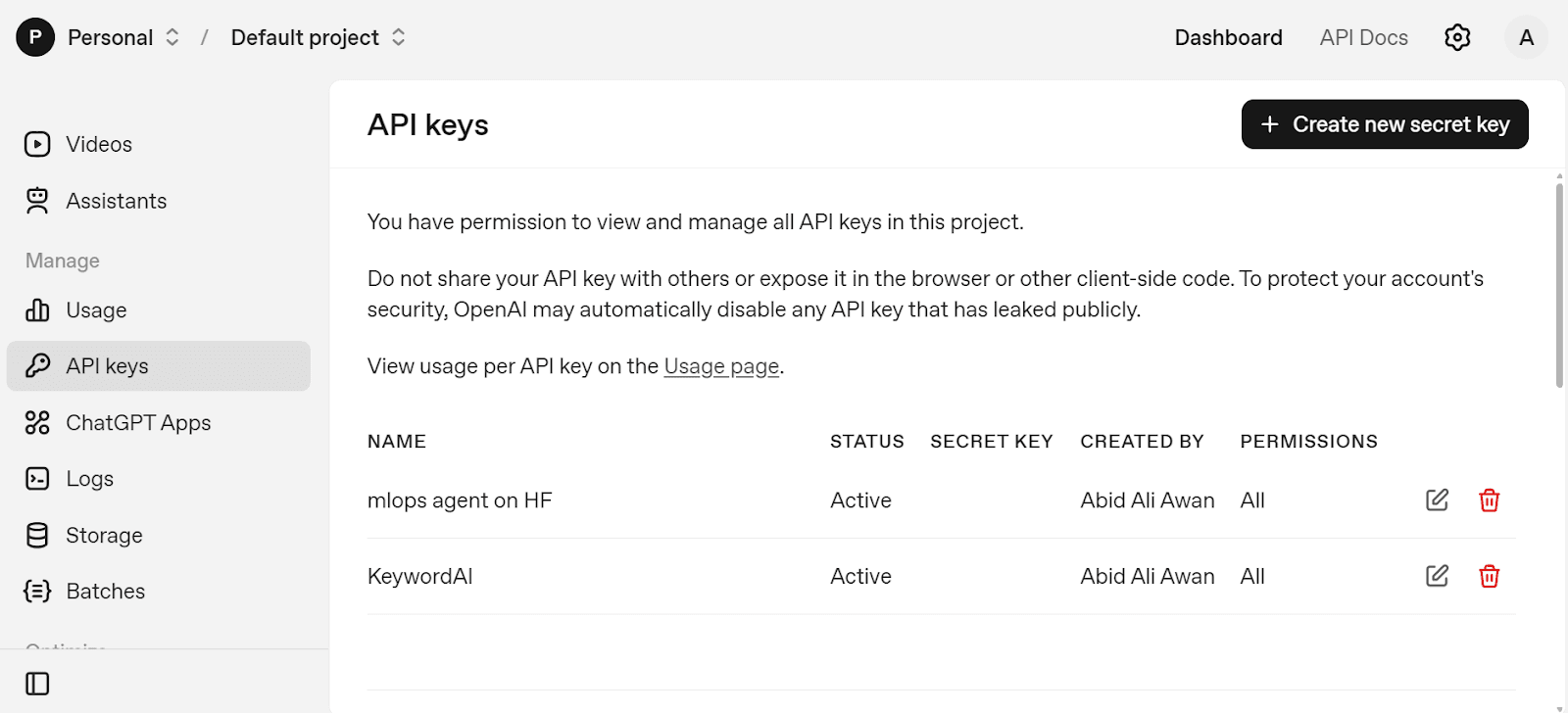
Next, create a free Olostep account. From the Dashboard, open the API Keys panel and generate a new key. Save it the same way:
export OLOSTEP_API_KEY="your_olostep_key_here" |
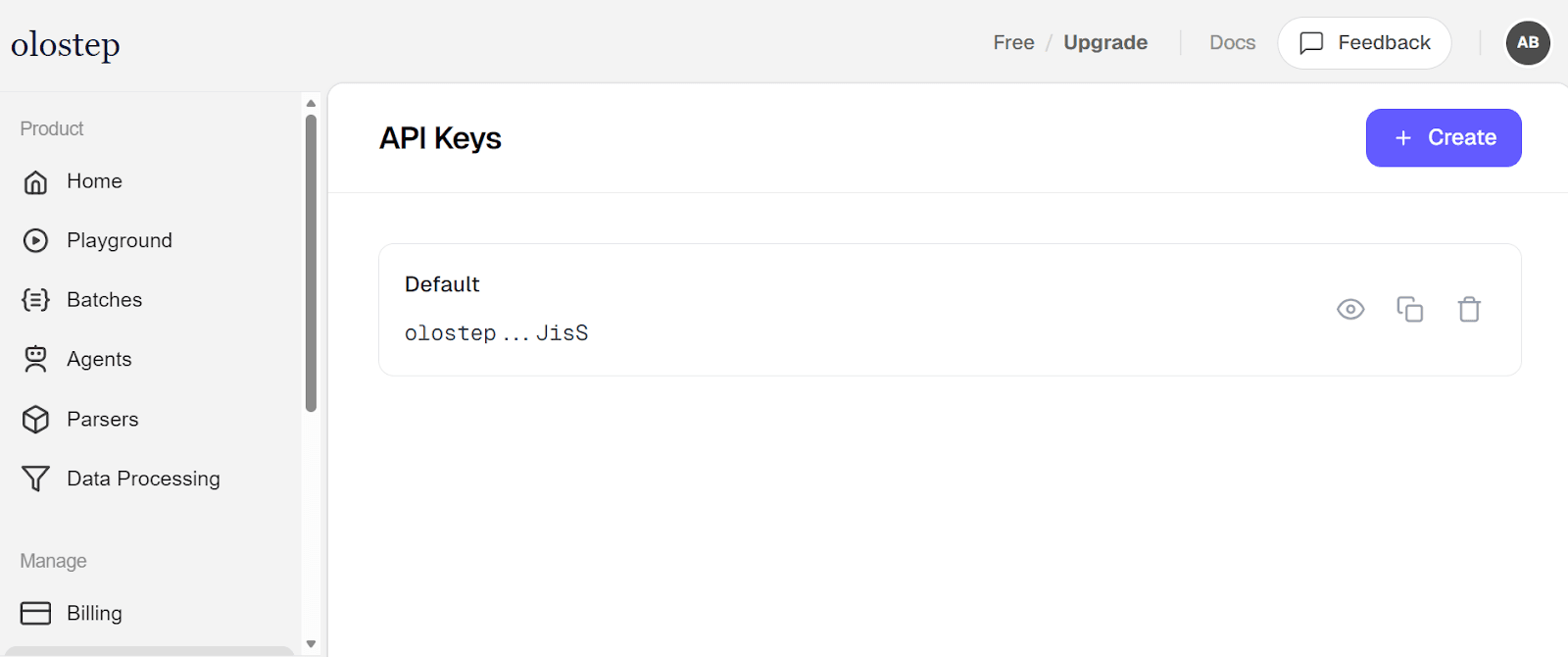
These environment variables allow your notebook to securely authenticate without hardcoding secrets inside the code.
Now start a new Jupyter Notebook. If you don’t have Jupyter Lab installed locally, you can use Google Colab, which provides a free cloud notebook environment. Install the required Python packages:
!pip install openai openai-agents requests gradio |
The libraries serve different purposes:
- openai connects to the OpenAI API.
- openai-agents provides the Agents SDK (Agent, Runner, tool orchestration).
- requests handles direct HTTP calls to Olostep.
- gradio will later power the web interface.
Create a new notebook cell and add the following code. The code initializes the full environment by configuring authentication for OpenAI and Olostep, defining the shared research task and model (GPT-5.2), preparing reusable API sessions, and setting output file paths.
from __future__ import annotations |
With secure environment variables and structured configuration in place, the system is ready to run the complete agentic market research pipeline.
3. Integrate Olostep APIs for Web Search and Scraping
In this step, we prepare helper utilities and tool wrappers so agents can safely call Olostep for web-grounded answers and full-page scraping.
parse_json_object ensures agent outputs are converted into clean Python dictionaries. It removes markdown formatting like ```json blocks and prevents crashes if the response is already structured or slightly malformed.
def parse_json_object(value: Any) -> dict[str, Any]: |
unique_http_urls filters valid HTTP/HTTPS URLs and removes duplicates while preserving order. This ensures only clean, unique links are selected for scraping.
def unique_http_urls(items: list[Any]) -> list[str]: |
compact_text trims long scraped content to a safe size before sending it to the model. This helps manage input limits and keeps prompts efficient.
def compact_text(value: Any, limit: int = 7000) -> str: |
request_olostep is a centralized wrapper for making authenticated Olostep API calls. It constructs the endpoint, sends the payload, handles errors, and returns parsed JSON.
def request_olostep(path: str, payload: dict[str, Any]) -> dict[str, Any]: |
olostep_answer_tool exposes the Olostep Answer API as a callable tool inside the Agents SDK. Agents use it to retrieve a web-grounded summary and ranked sources.
@function_tool |
olostep_scrape_tool exposes the Scrape API as a tool. Agents call it to retrieve full-page content in markdown and text format for deeper signal extraction and trend analysis.
@function_tool |
4. Build Market Research Agents with the OpenAI Agents SDK
In this step, we define four specialized agents using the OpenAI Agents SDK. Each agent has a single responsibility in the pipeline, which keeps reasoning structured, auditable, and easier to debug.
research_agent is responsible for web-grounded discovery. It calls the Olostep Answer API, selects the top 3 sources, scrapes them, and returns a structured research package in strict JSON format. This agent handles tool orchestration and ensures the pipeline starts with real, ranked sources.
research_agent = Agent( |
extraction_agent converts raw research context into structured market signals. It does not call tools; instead, it analyzes the summary and scraped content and extracts consistent signal objects with predefined fields.
extraction_agent = Agent( |
trend_agent identifies higher-level patterns from extracted signals. It clusters recurring ideas into trends and assigns lightweight confidence scoring to make results more interpretable.
trend_agent = Agent( |
brief_agent produces the final human-readable output. It takes structured research and generates a concise technical markdown brief with clearly defined sections.
brief_agent = Agent( |
Together, these four agents create a clean separation of concerns:research → extraction → trend synthesis → brief generation.
5. Run the Olostep Agentic Research Pipeline
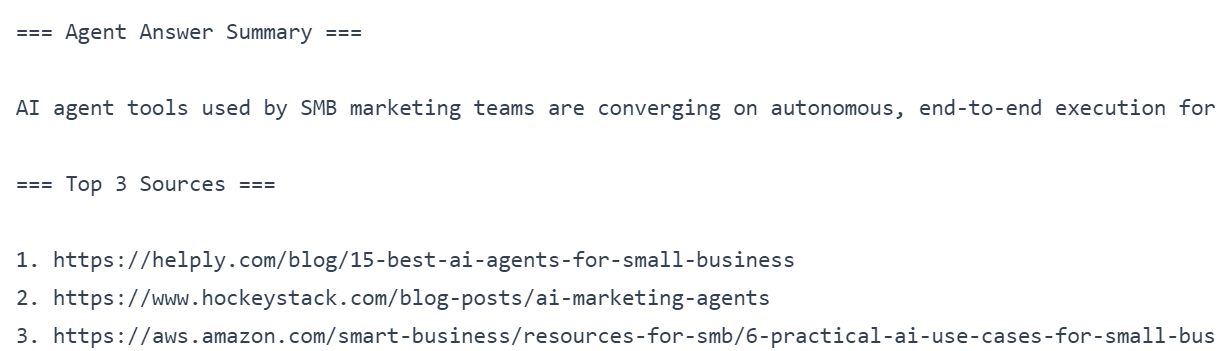
In this step, we execute the research_agent and print two key outputs: the agent’s web-grounded summary and the top 3 sources it selected for deeper analysis.
research_prompt packages INITIAL_TASK into a single instruction that tells the agent to use tools, follow the workflow, and return strict JSON only.
research_prompt = f""" |
Runner.run(...) executes the agent using the OpenAI Agents SDK. The Runner manages the full lifecycle: sending the prompt to GPT-5.2, allowing the agent to call Olostep tools, and returning the final output.
research_run = await Runner.run( |
parse_json_object(...) converts the agent’s final output into a Python dictionary. This makes it easy to reliably access fields like answer_summary and top3_sources.
research_payload = parse_json_object(research_run.final_output) |
answer_summary extraction pulls the short market snapshot from the research package. The fallback text prevents errors if the key is missing.
answer_summary = research_payload.get("answer_summary", "No summary available.") |
Printing the answer summary and top 3 sources allows you to quickly verify that Stage 1 (web-grounded summary) and Stage 2 (clean source selection) both worked correctly.
print("\n=== Agent Answer Summary ===\n") |
6. Extract Market Signals and Identify Trends
In this step, we convert the web-grounded research package into structured market signals. The extraction_agent analyzes only the provided summary and scraped pages and returns strict JSON containing signal objects.
We first build the extraction prompt, passing the full research_payload so the agent has complete context.
extraction_prompt = f""" |
Next, we run the extraction_agent using the Agents SDK. The Runner executes the model (gpt-5.2) and returns structured output.
extraction_run = await Runner.run( |
We then parse the agent’s output and extract the signals list.
extraction_payload = parse_json_object(extraction_run.final_output) |
To ensure clean results, we filter signals that:
- Contain a valid source_url
- Are not malformed references to the research package
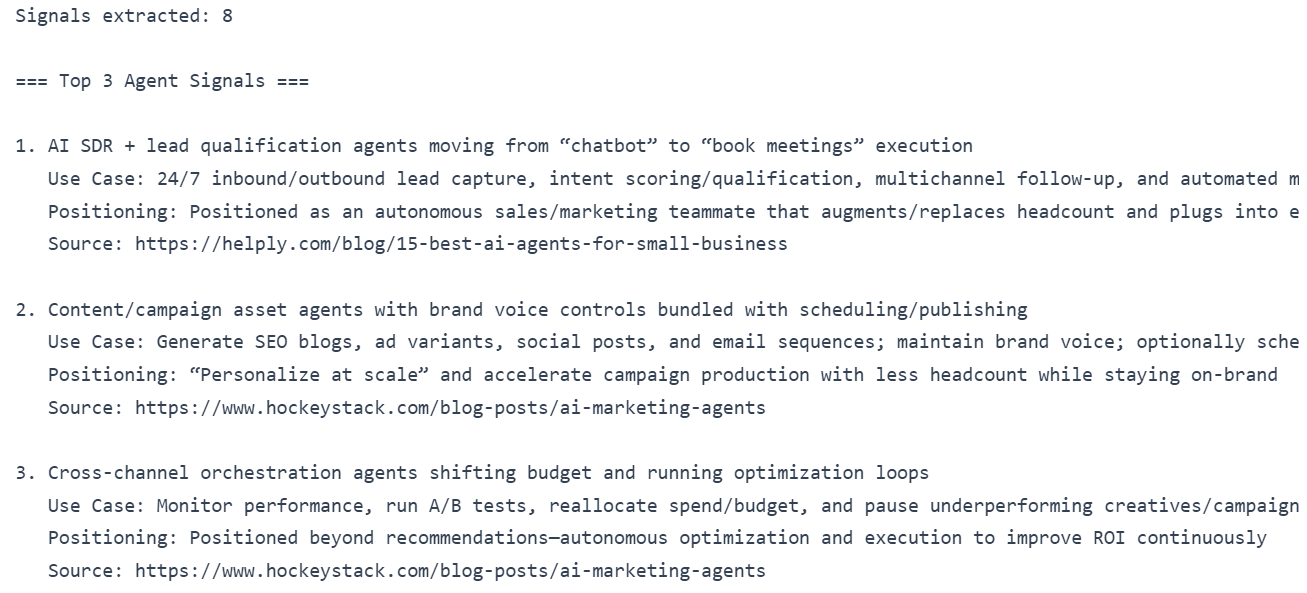
We then slice the first three signals for preview.
print("Signals extracted:", len(signals)) |
Printing the number of extracted signals confirms the agent successfully structured the research, while previewing the top 3 signals helps validate that the outputs are grounded, consistent, and ready for trend synthesis in the next stage.
Next, we run trend analysis using the trend_agent. This agent clusters recurring patterns from the structured signals and returns strict JSON containing trend objects.
trend_prompt = f""" |
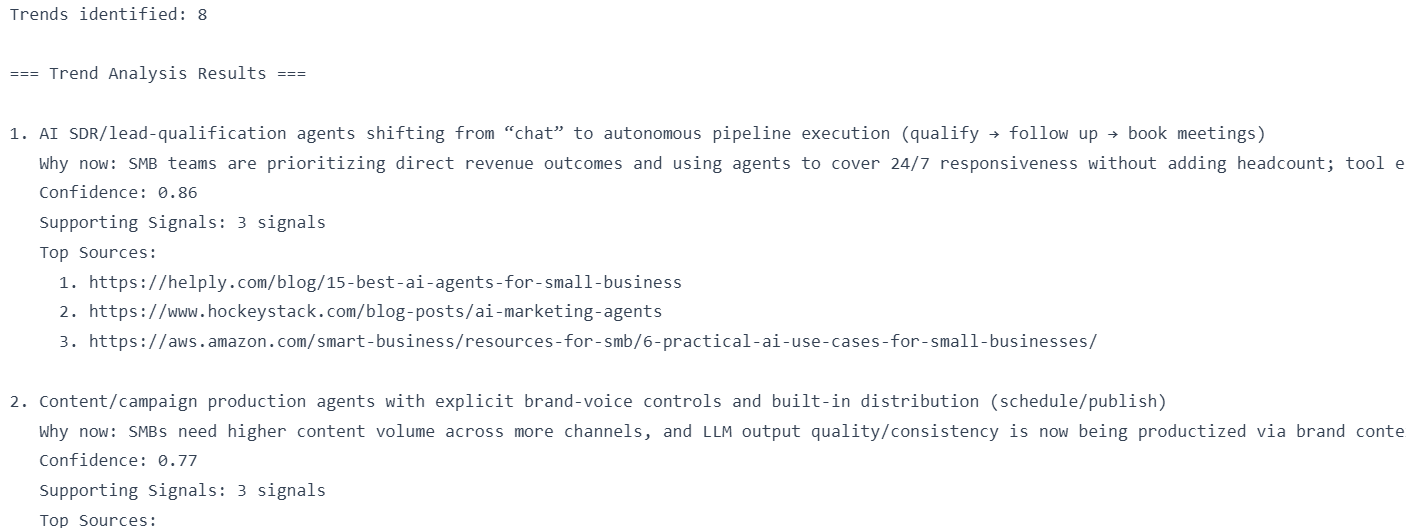
Finally, we preview the identified trends. We display the first three trends, along with their “why now” explanation, confidence score, supporting signal count, and top source URLs.
print("Trends identified:", len(trends)) |
At this stage, the pipeline has moved from raw web-grounded content to structured signals and then to synthesized trends with confidence scoring, completing the core intelligence layer of the agentic research system.
7. Generate a Technical Research Brief from Agent Insights
In this step, we generate the final deliverable: a concise technical research brief in markdown. The brief_agent takes the grounded summary + scraped context, the extracted signals, and the synthesized trends, then produces a clean brief your team can read and share.
We first build the brief_prompt. It packages everything the brief writer needs, while keeping INITIAL_TASK central. We pass three inputs: the answer summary and context (top sources + scraped pages), the extracted signals, and the trend analysis.
brief_prompt = f""" |
Next, we run the brief_agent using the Agents SDK. The Runner executes the model and returns the markdown brief as the final output.
brief_run = await Runner.run( |
We then bundle everything into a single result object. This is useful because it preserves the full research trail (raw research payload, extracted signals, trends, and the final markdown brief) in one structured artifact.
result = { |
Now we save outputs to disk. We write the human-readable brief to BRIEF_PATH, and the full structured package to RESULT_PATH for reproducibility and debugging.
with open(BRIEF_PATH, "w", encoding="utf-8") as f: |
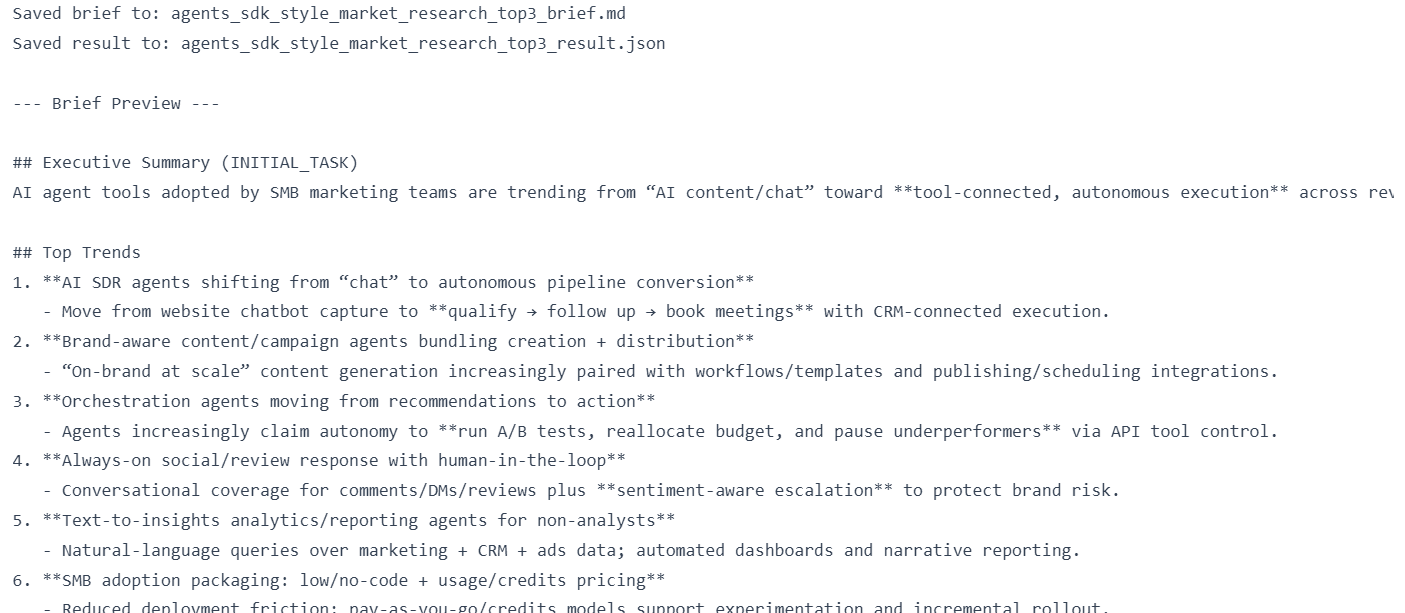
Finally, we print confirmation messages and preview the first 3000 characters of the brief so you can quickly validate formatting and content quality.
print(f"Saved brief to: {BRIEF_PATH}") |
If you face issues running the above code inside your notebook environment, refer to the working reference notebook in the repo: (agentic-market-research-olostep/notebook.ipynb).
8. Build a Gradio Interface for the Research System
Now we convert the notebook pipeline into a simple Python web application using Gradio. Instead of running each stage manually in cells, the web UI lets you execute the full agentic workflow from a browser.
The complete code is available in agentic-market-research-olostep/app.py. Create a new file called app.py, copy the code into it, and save it in your project directory.
The web app provides the following capabilities:
- Lets users enter a research topic and run a Quick Snapshot using Olostep
- Caches results to avoid repeating identical API calls
- Extracts top sources and scrapes them in parallel for deeper analysis
- Generates structured Signals from the research content
- Synthesizes higher-level Trends from extracted signals
- Produces a final technical markdown brief
- Saves Signals, Trends, and Brief outputs as .md and .json files
- Maintains session state so users can run stages step-by-step
- Provides a clean tab-based UI for Snapshot → Signals → Trends → Brief workflow
To launch the application, run:
python app.py |
You should see output similar to:
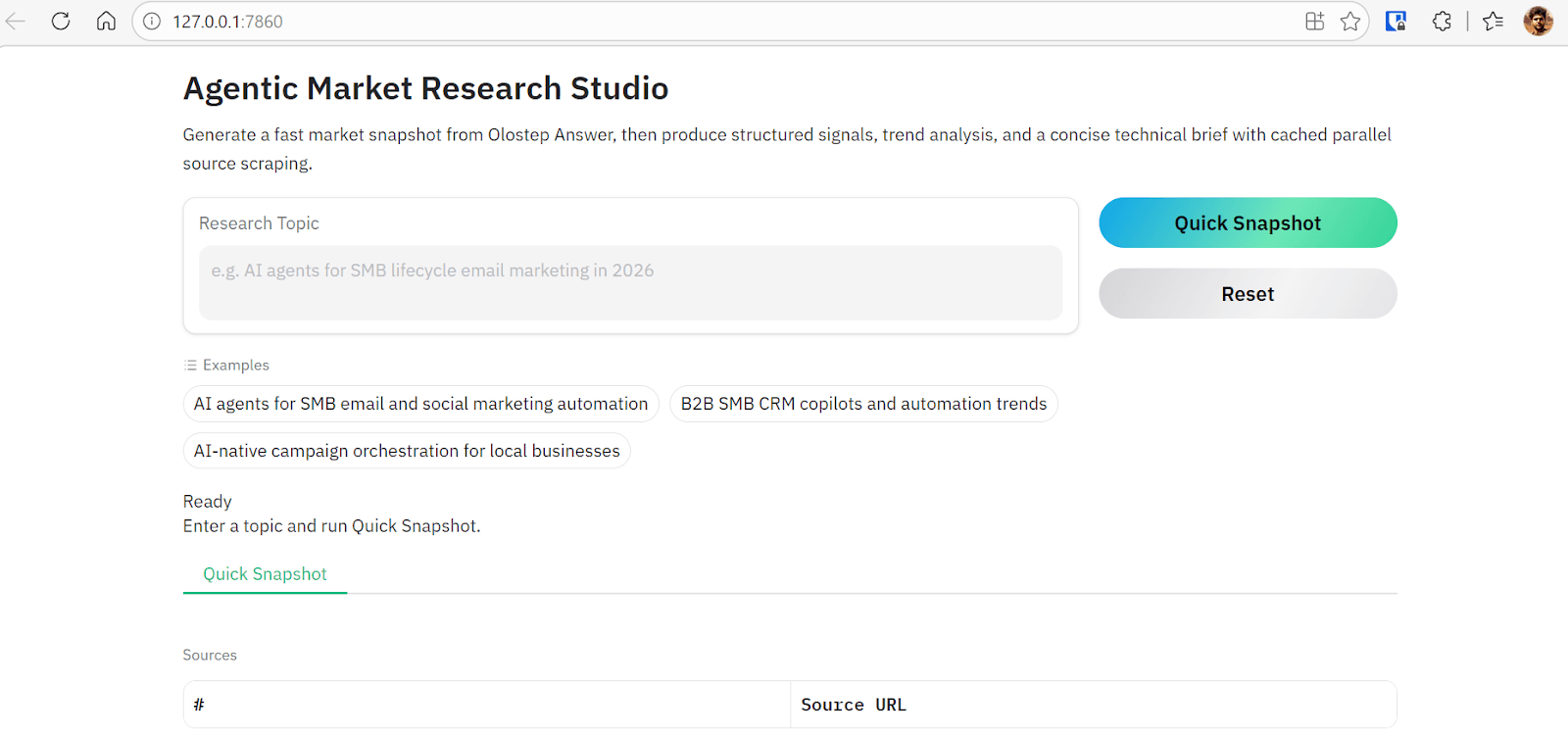
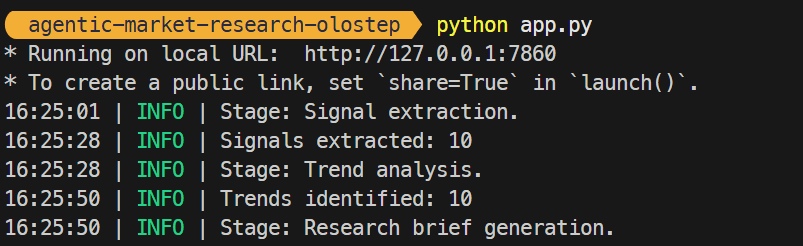
* Running on local URL: http://127.0.0.1:7860 |
Open http://127.0.0.1:7860 in your browser. The interface includes example prompts and a text input where you can enter any research topic. Initially, only the Snapshot stage is available. Once it completes, additional tabs (Signals, Trends, Brief) become accessible, allowing you to progress through the full agentic workflow interactively.
9. Test the Olostep Agentic Market Research Workflow
After launching the web interface, enter a research topic and run the Quick Snapshot stage. Within seconds, the system calls the Olostep Answer API and returns a grounded summary along with the top 3 source URLs related to the research query.
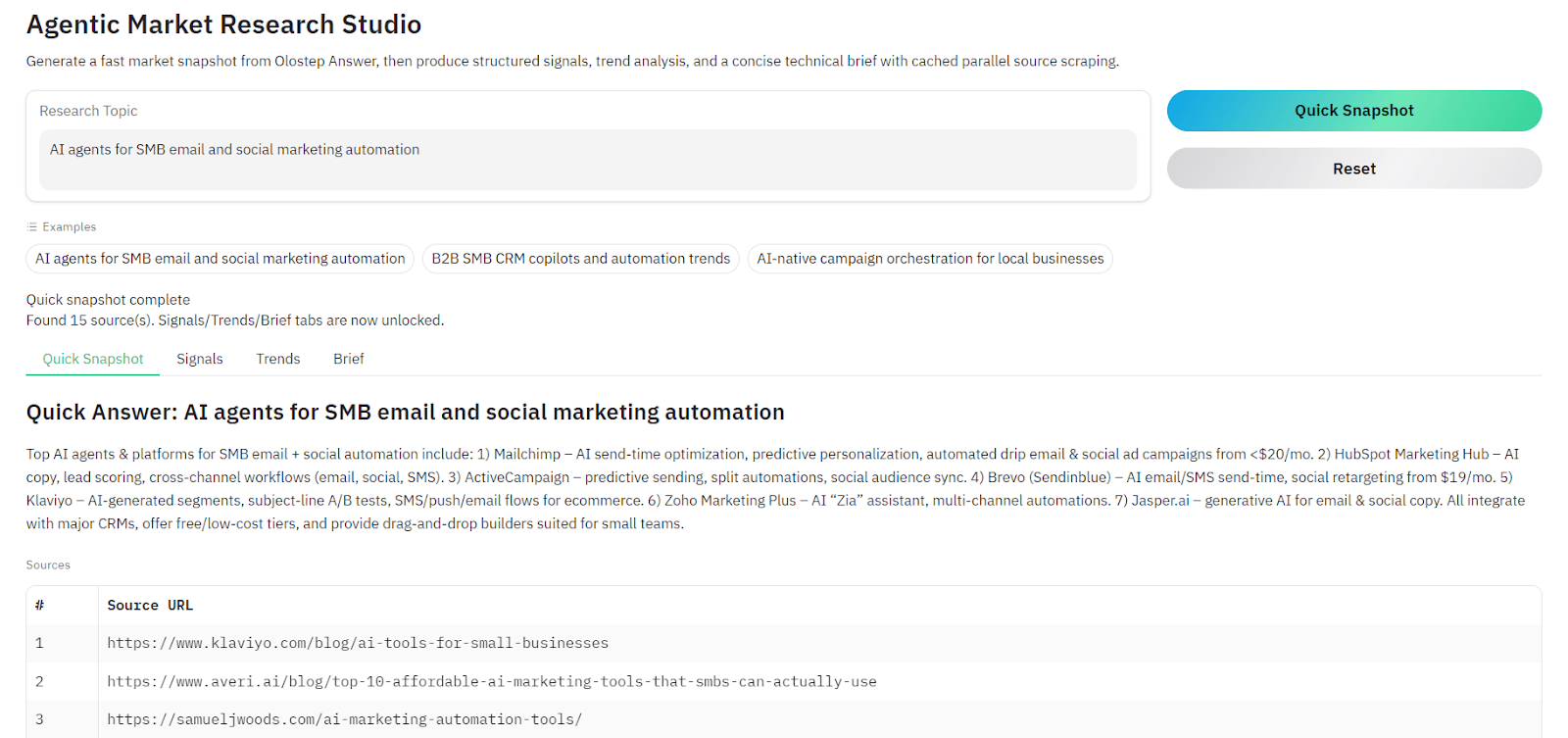
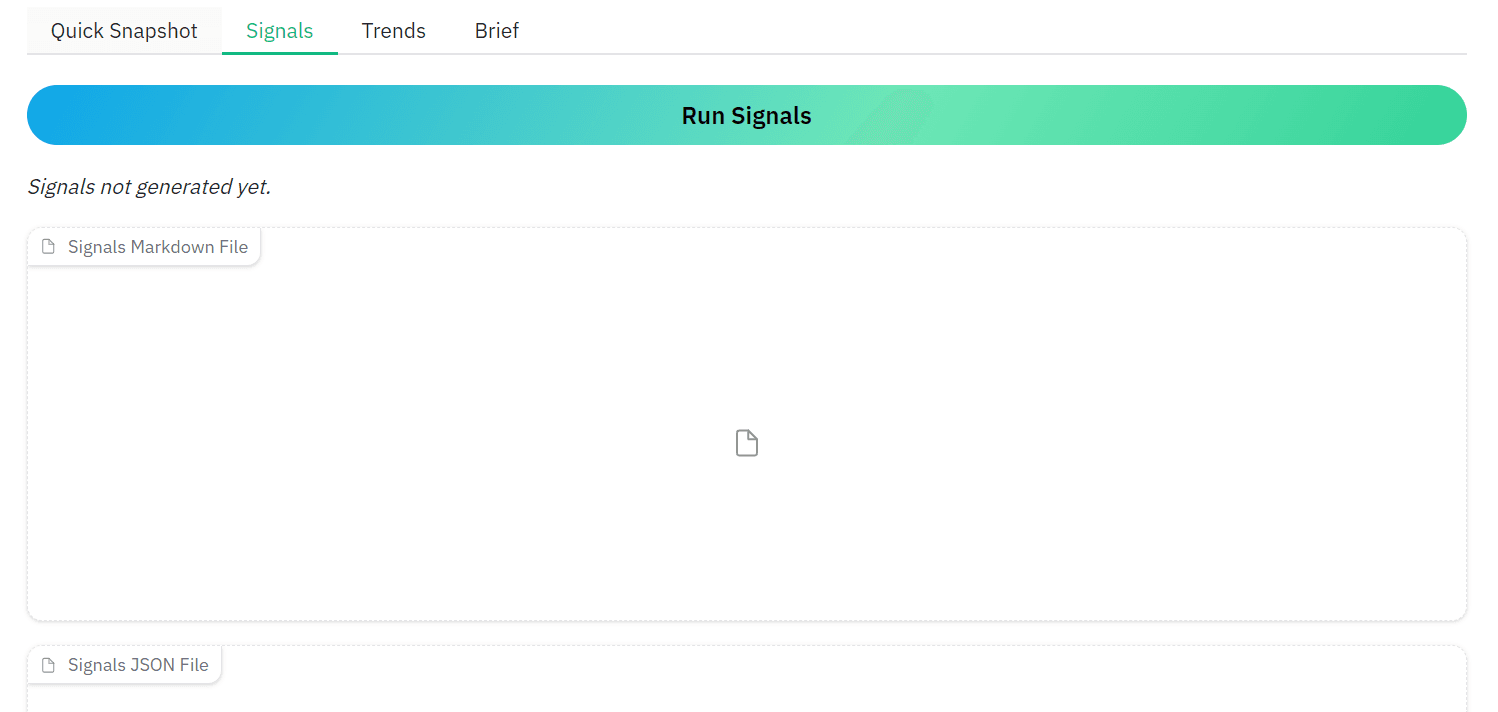
Once the initial snapshot is generated, additional options become available in the interface. You can navigate to the Signals tab and click Run Signals. The system will scrape the three selected URLs and extract structured signals from the content. Each page is cached locally after scraping, which prevents repeated API calls and speeds up subsequent runs.
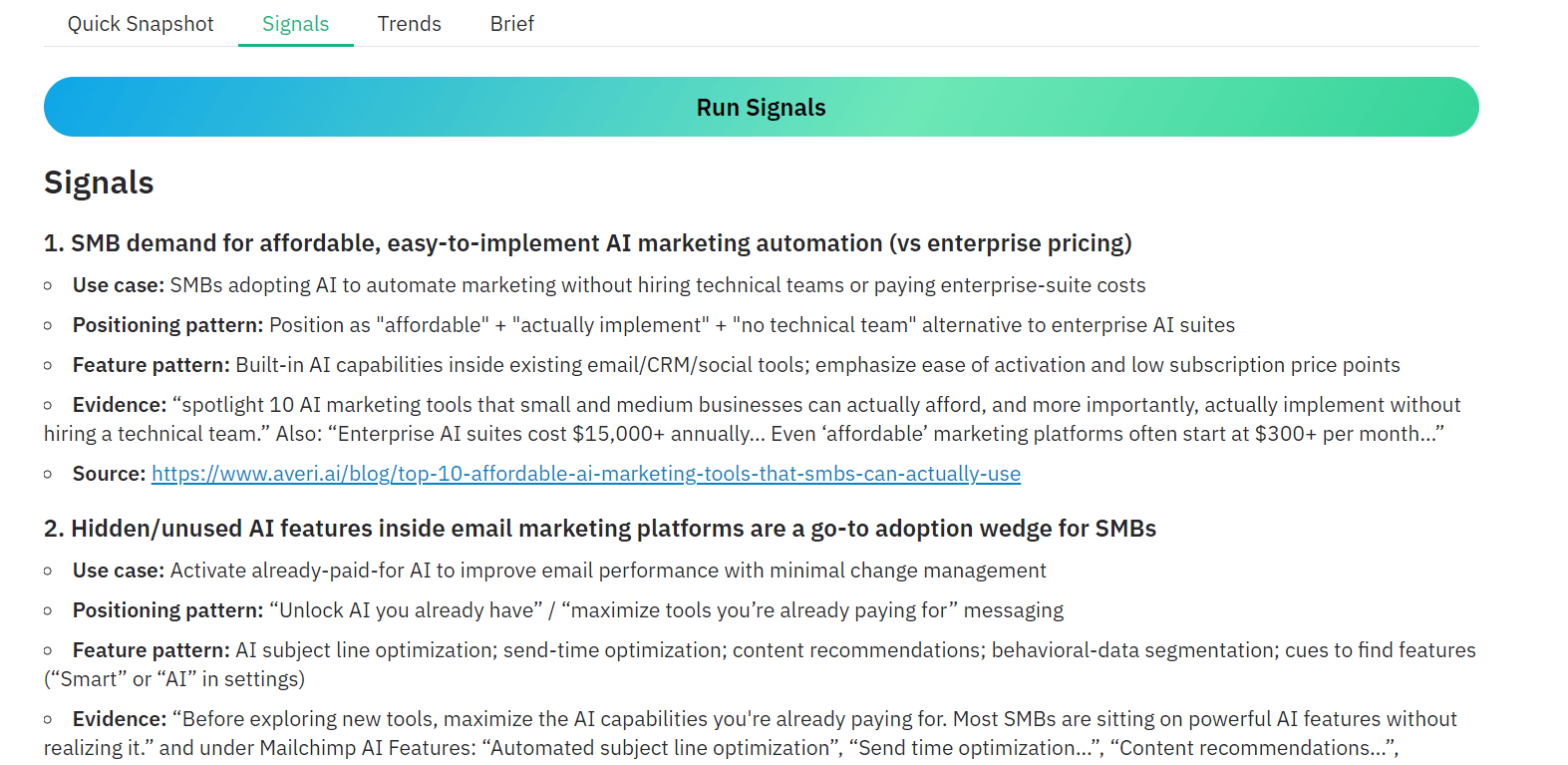
Within a few seconds, the application produces a structured signals report that highlights recurring use cases, positioning patterns, and feature patterns found across the sources.
You can also skip individual stages and generate the Technical Brief directly.
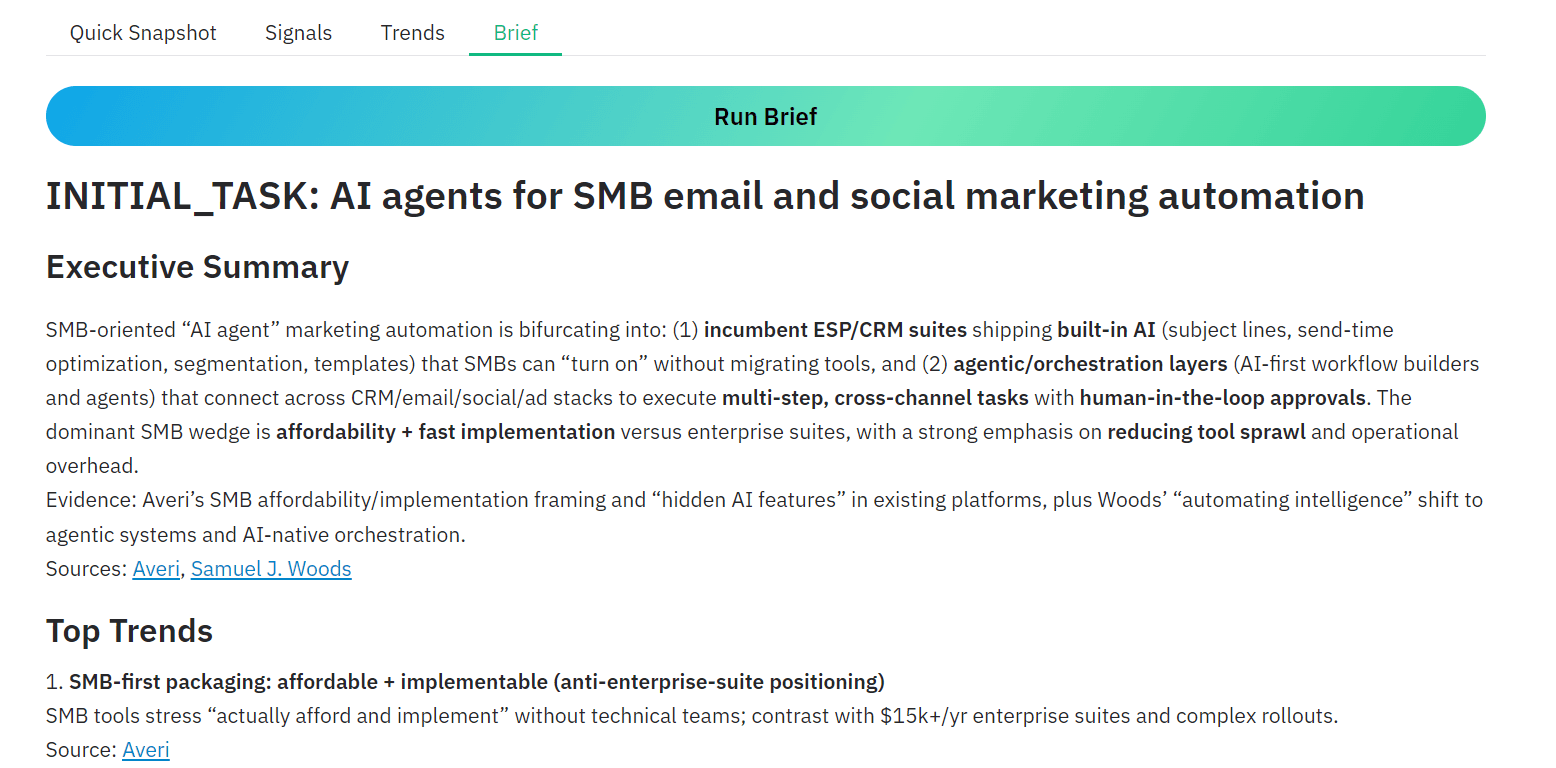
When you trigger this option, the system automatically runs signal extraction, performs trend analysis, and then generates the final markdown research brief. This design allows the application to remain robust and flexible depending on how users want to run the workflow.
The complete project is available on GitHub at kingabzpro/agentic-market-research-olostep. Follow the README instructions to clone the repository, install the required dependencies, add your OpenAI and Olostep API keys, and run the app.py script to start the application locally.
10. Conclusion
The Olostep Answer API simplifies one of the hardest parts of research, which is quickly finding credible sources and generating a grounded summary of a topic. Instead of manually searching, reading, and synthesizing multiple articles, the system performs this step automatically in seconds.
By combining Olostep’s web APIs with the OpenAI Agents SDK and GPT-5.2, we built a complete research pipeline that goes beyond simple summarization. The system collects sources, extracts structured signals, identifies recurring trends, and generates a concise technical research brief. This transforms what used to be a manual research process into a repeatable workflow that can run in minutes.
The real strength of this architecture is its modular design. Each agent focuses on a specific task such as research, signal extraction, trend analysis, or report generation. This separation makes the system easier to extend, debug, and adapt for other research domains.
As AI tools continue to evolve, workflows like this will increasingly replace traditional research pipelines and help teams move from raw information to actionable insights much faster.